Bitcoin MCP
by AbdelStark



₿itcoin & Lightning Network MCP Server
Documentation | Try with Claude | Try with Goose

Overview
A Model Context Protocol (MCP) server that enables AI models to interact with Bitcoin and Lightning Network, allowing them to generate keys, validate addresses, decode transactions, query the blockchain, and more.
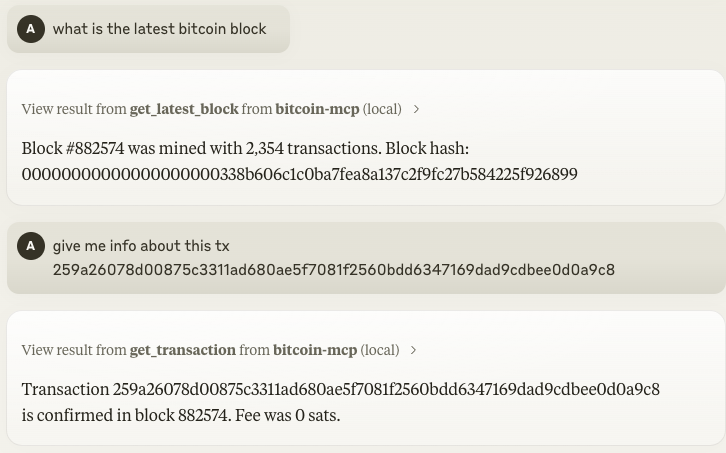
🎮 Demo

💼 Table of Contents
- ₿itcoin & Lightning Network MCP Server
🔧 Features
- Key Generation: Create new Bitcoin key pairs — including address, public key, and private key (WIF).
- Address Validation: Validate the correctness of a Bitcoin address.
- Transaction Decoding: Parse a raw Bitcoin transaction and display its details in a human-readable format.
- Blockchain Queries:
- Latest Block: Retrieve details about the most recent block (hash, height, timestamp, transaction count, etc.).
- Transaction Details: Fetch detailed information about a transaction using its TXID.
- Lightning Network:
- Invoice Decoding: Parse a BOLT11 Lightning invoice and display human-readable information.
- Payment: Pay a Lightning invoice directly from your LNBits wallet.
🔑 Claude Desktop Integration
To use the Bitcoin MCP server with Claude Desktop (Anthropic's desktop app for Claude), follow these steps:
-
Download and Install Claude Desktop: Visit the official Claude Desktop downloads page and get the app for your operating system (macOS or Windows) (Installing Claude for Desktop | Anthropic Help Center). Install the app and ensure you're using the latest version (you can check for updates in the app menu).
-
Configure Claude Desktop to use the Bitcoin MCP Server: Open the Claude Desktop configuration file (it's created when you first edit settings in Claude Desktop):
- macOS:
~/Library/Application Support/Claude/claude_desktop_config.json - Windows:
%APPDATA%\Claude\claude_desktop_config.json
Add an entry for the Bitcoin MCP server in this JSON config under the"mcpServers"section. For example:
*Configuration content*json
{
"lnbitsUrl": "https://demo.lnbits.com",
"lnbitsAdminKey": "your_admin_key", // Required for making payments
"lnbitsReadKey": "your_read_key" // Required for wallet information
} - macOS:
You can obtain these values by:

1. Creating an account at [LNBits](https://lnbits.com/)
1. Creating a new wallet
1. Going to API info to find your API keys

## 📦 Available Tools

Find the available tools in the [API Reference](https://abdelstark.github.io/bitcoin-mcp/docs/api/generate-key) guide.

## 🚨 Error Handling

The server employs custom error types to handle Bitcoin operations and blockchain queries. Detailed error messages are logged using Pino and included in client responses for easier debugging.

## 🤝 Contributing

Contributions and feature requests are welcome! Feel free to submit pull requests or open issues on GitHub.

## 📝 License

This project is licensed under the [MIT License](LICENSE).